LibreOffice Writer now supports Markdown
LibreOffice Writer, the popular open source word processor and a free replacement for the dreaded Microsoft Word, has recently added support for Markdown, a lightweight markup language that allows you to format text using simple syntax. This is great news for users of I Write Like, as it means you can now easily import and export your Markdown files between IWL and LibreOffice Writer without losing formatting.
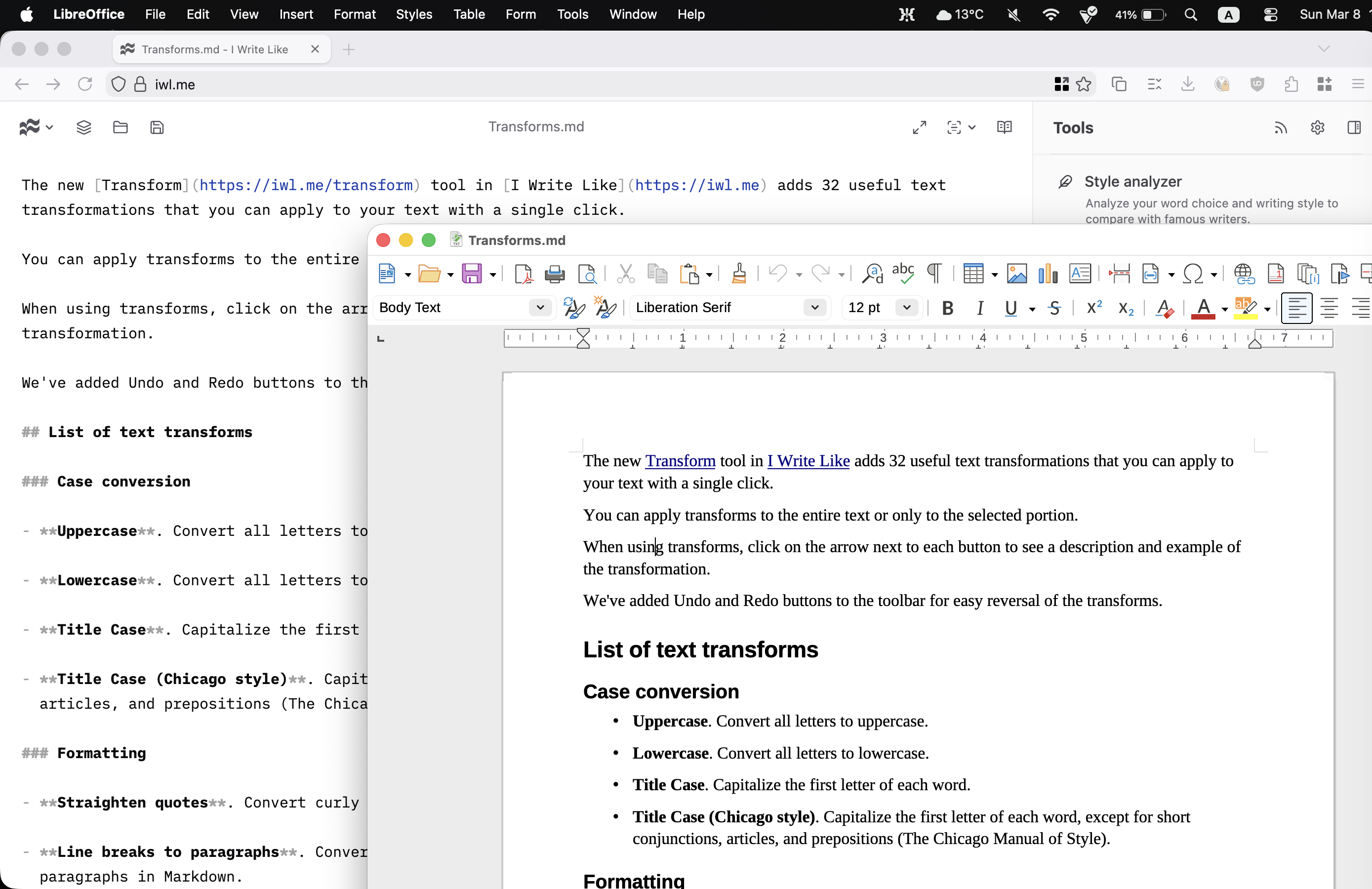
How to open Markdown files in LibreOffice Writer
If you open a file with the .md extension in LibreOffice Writer, it will automatically recognize it as a Markdown file and render it accordingly.
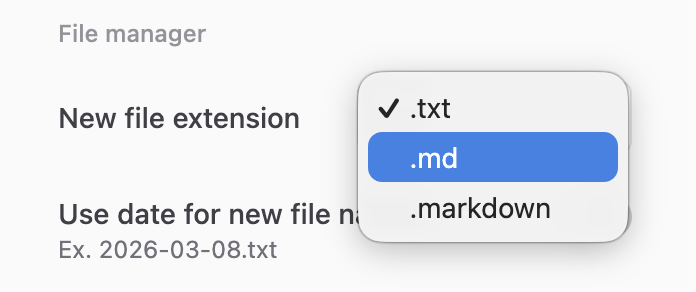
By default, I Write Like saves files with the .txt extension (because Markdown files are, in fact, text files), but you can easily change it to .md in the Settings:
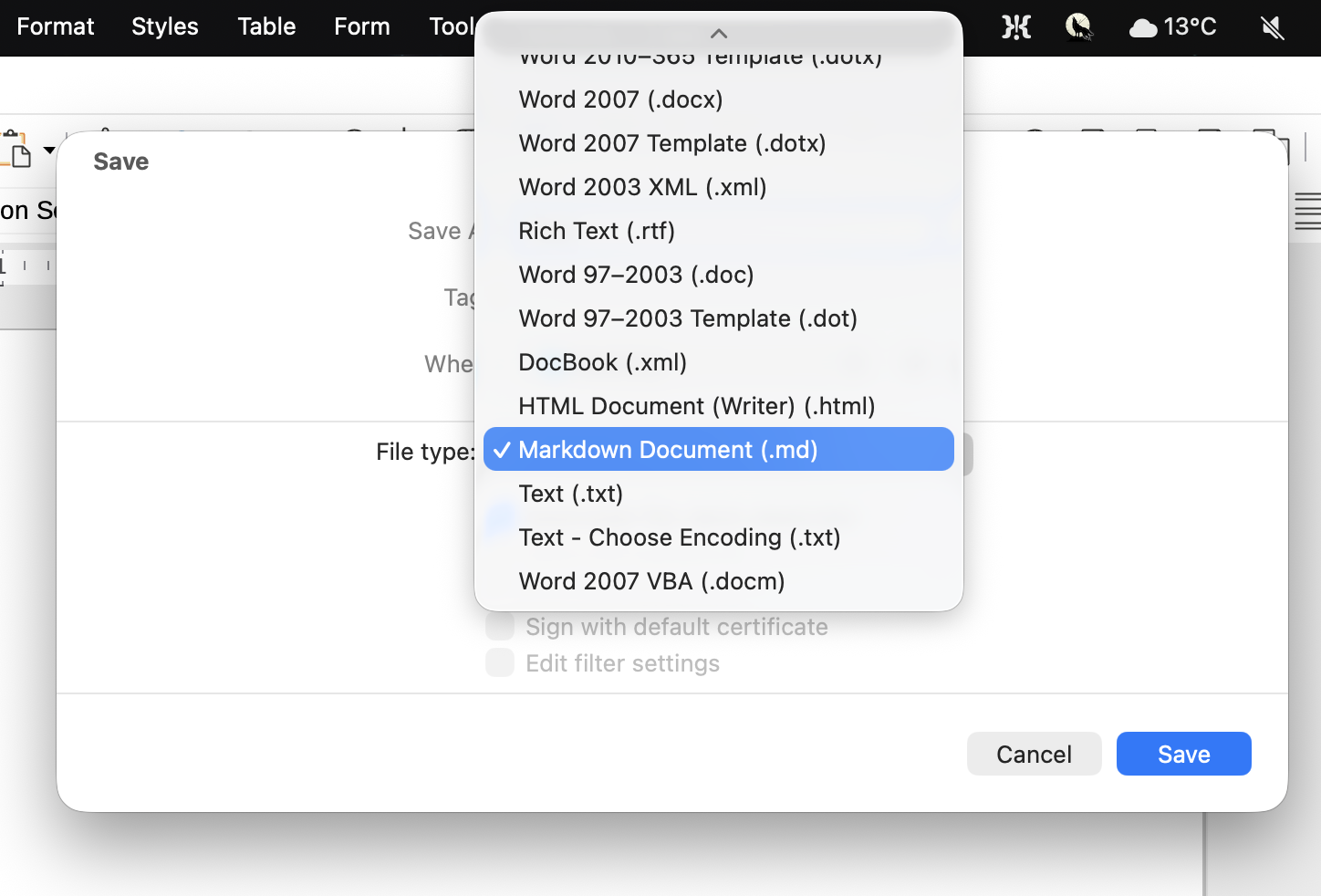
How to save Markdown files in LibreOffice Writer
To save a file in Markdown format in LibreOffice Writer, simply click File → Save As, and then choose Markdown Document (.md) from the list of available formats. This will save your file with the .md extension, which can be easily opened in IWL or any other Markdown or plain text editor.
Simple open file formats are the future
LibreOffice Writer’s support for Markdown is a great step towards better interoperability between different writing tools. Markdown is a simple and widely supported format (even Windows Notepad now supports rich text formatted with Markdown), and having the ability to easily import and export Markdown files between IWL and LibreOffice Writer means that you can choose the best tool for writing without worrying about compatibility issues.
It’s also a format for the future: while the default OpenDocument Format (ODF) is great for complex documents, most texts don’t need all its features, and a simple format like Markdown is often more than enough for writing, sharing, and preserving text: you can be sure your Markdown files will be readable and editable hundreds of years from now, while the same cannot be said for ODF or DOCX files.
We already wrote about Markdown support in Google Docs and Apple Notes, and now we welcome LibreOffice to the Markdown club!
Markdown support is available in LibreOffice 26.2. You can install it on Windows, macOS, Linux, FreeBSD and pretty much any operating system. If you need a good, free and libre old-school word processor, spreadsheet, or presentation software, give it a try! Don’t forget to delete Microsoft Word to save disk space and your sanity.